Version History
Texpile keeps a copy of each file every time you save, in every project, with or without git. File › Version History…, or right-click a file or tab.
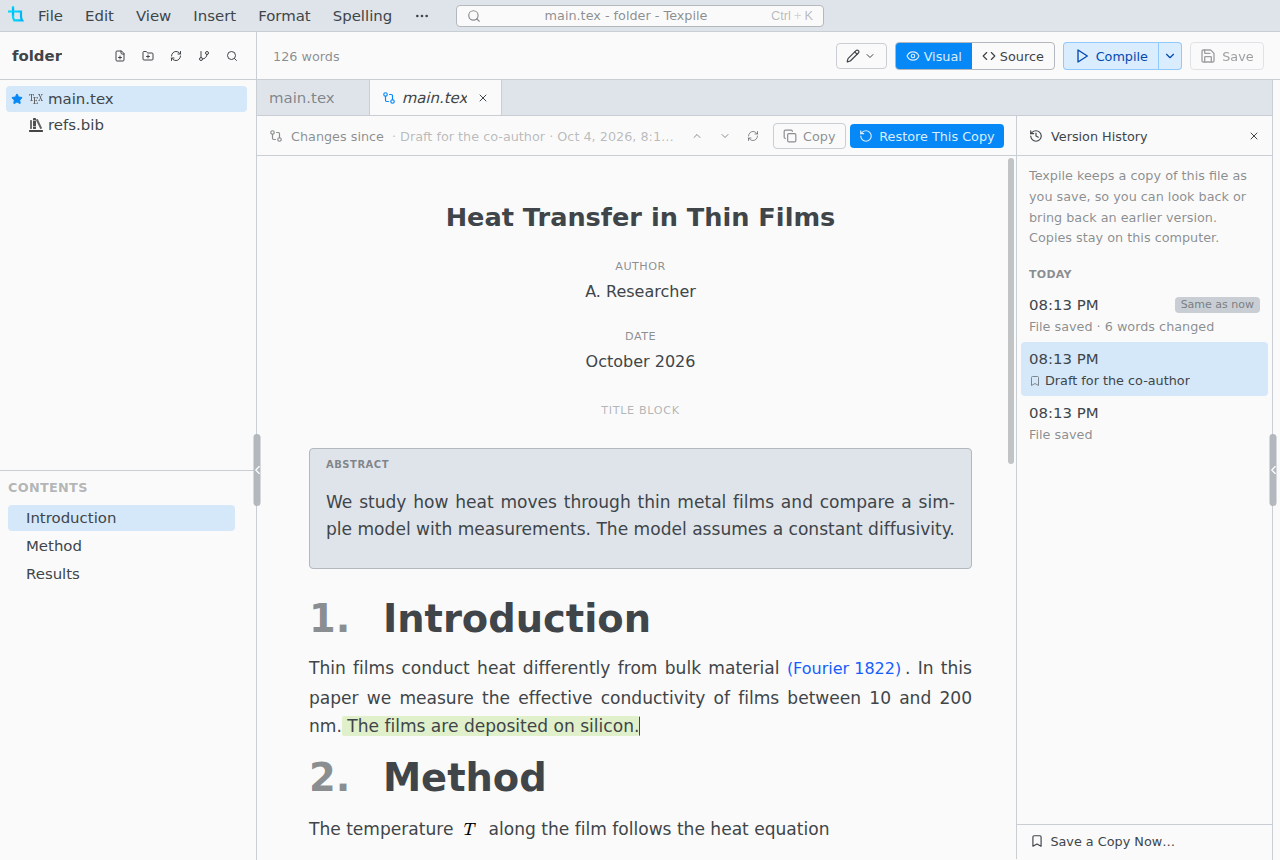
- The copies stay on this computer, in Texpile's data folder. They do not travel with the project.
- A copy is also kept before Discard Changes, before a restore, and before a file changed outside Texpile replaces your unsaved edits.
- Save a Copy Now… keeps a copy under a name you choose. Named copies are kept until you delete them.
- Restore This Copy first keeps a copy of the file as it is now, and offers Undo. It rejects suggestions made since that copy. Undo brings them back.
Restore a deleted file
File › Restore Deleted File…, or right-click a folder for that folder only. The folder comes back too if it is gone.
Limits
Files over 1 MB get no copies. Older copies thin out over 30 days: see Limits. In a shared session the host keeps the copies, guests' edits included.