Markdown
Texpile edits .md files visually or as source, and saves them as plain Markdown. The visual editor is the preview, in place of a PDF.
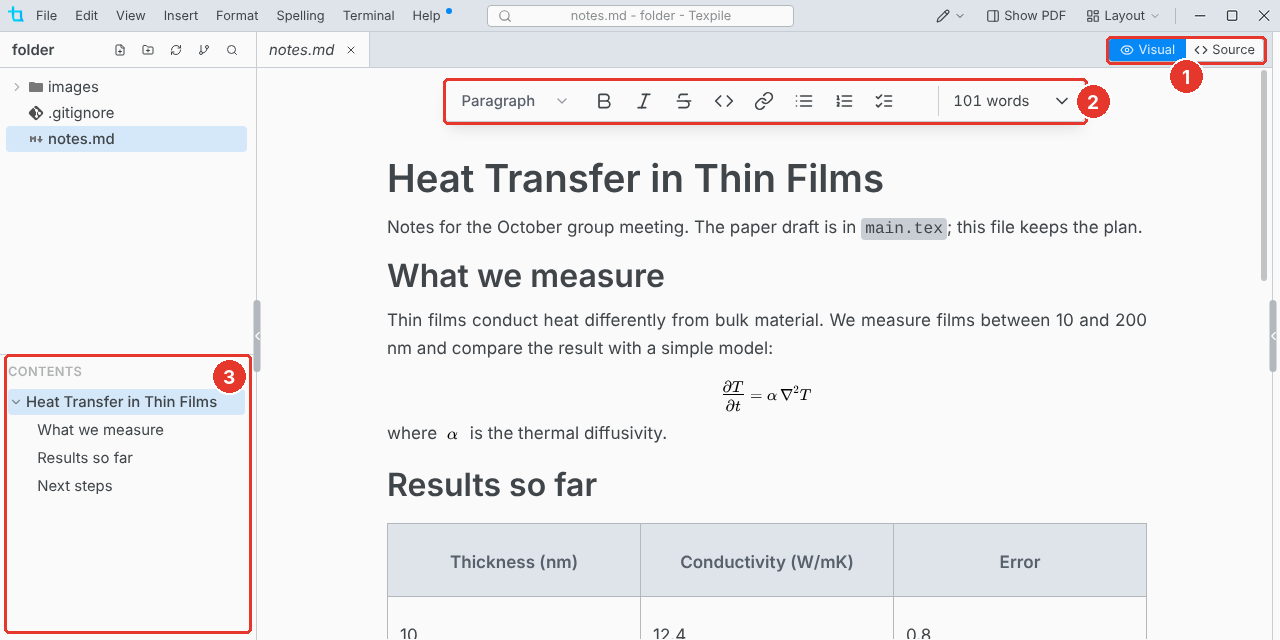
- Visual / Source. Switch editors at any time.
- Toolbar. Adds strikethrough and task lists, and leaves out underline, color, superscript and subscript, which Markdown lacks.
- Contents. The headings of the file. Click one to go there.
Start a file with File › New › Markdown File.
Not in Markdown
Citations, cross-references, and equation, figure and table numbers are LaTeX and Typst features. Comments and suggestions work in Markdown too.