Source editor
Edit the Markdown directly. The toolbar and the shortcuts write the markup for you.
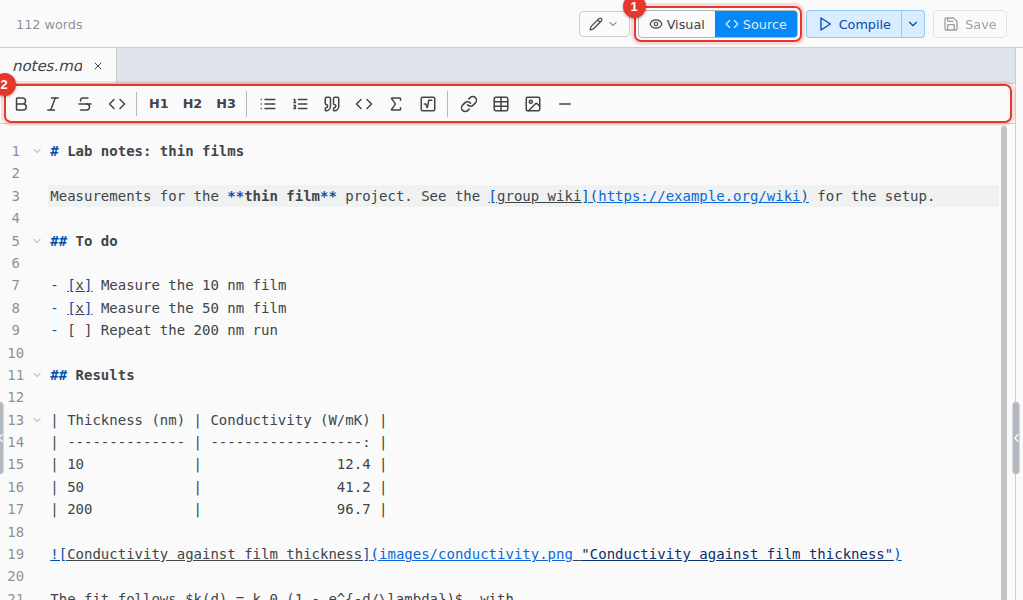
- Source. Switch to the source editor.
- Toolbar. Bold, italic, strikethrough, headings, lists, math, task lists, links, tables and images.
Keyboard shortcuts
On macOS, use Cmd for Ctrl. Select text first to wrap it.
| CtrlB | **bold** |
| CtrlI | *italic* |
| CtrlShiftX | ~~strike~~ |
| CtrlAlt1 | # heading, with 2 to 6 for the levels below |
| CtrlM | $ $ |
| CtrlD | Select the next match |
| CtrlAltUp | Add a cursor above |
| CtrlAltDown | Add a cursor below |