Merge conflicts
When Sync finds that both sides changed the same lines, choose Merge and resolve each file under Merge Changes in the source editor.
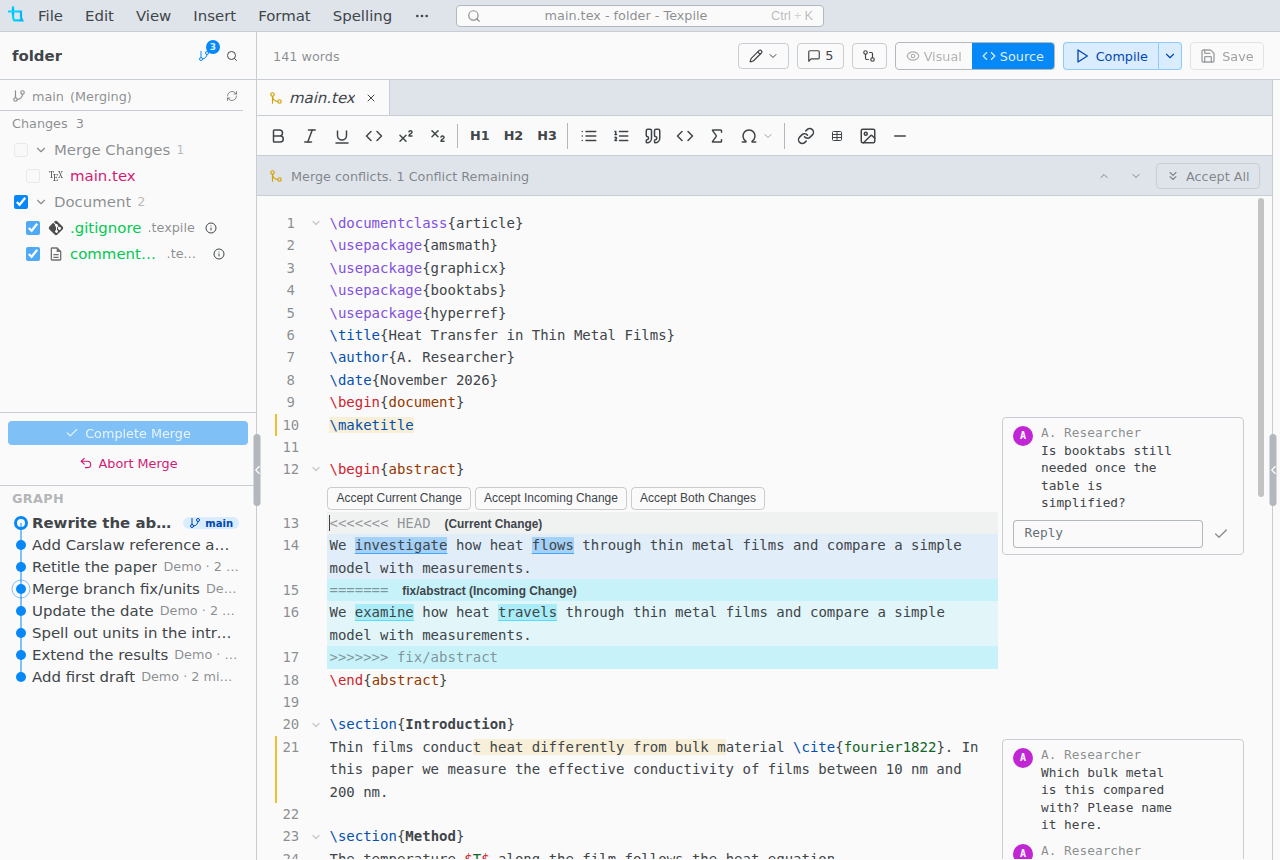
- The visual editor is off for a file until its conflicts are resolved.
- Pick a side with the buttons above each conflict, or edit the lines yourself. A conflict is resolved when its
<<<<<<<,=======and>>>>>>>lines are gone. - A conflict over a deleted file, or a file that is not text such as an image, is listed in Source Control instead. Click it to keep one version.
Finish or abort
Complete Merge makes the merge commit. Sync Changes then pushes it. Abort Merge drops the merge, and the conflicts you resolved are lost.