Live preview
The preview renders the main file as you type, in the visual and the source editor. It is on by default.
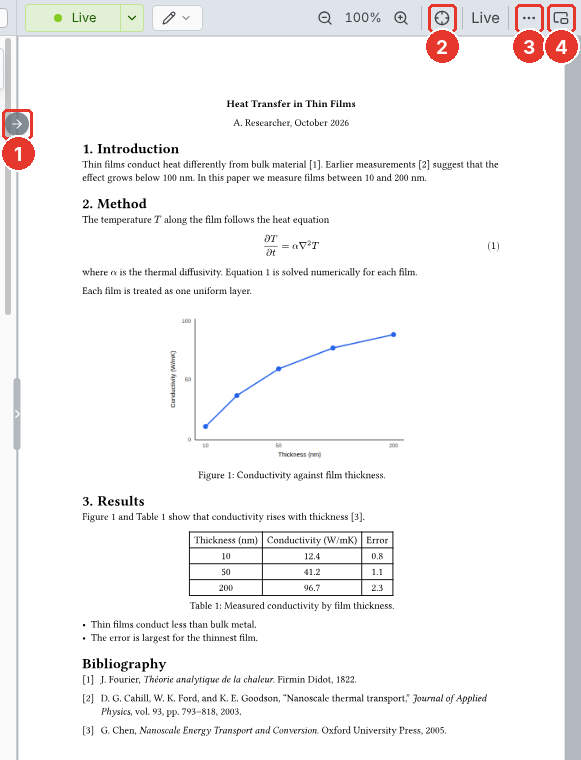
- Jump to preview. Shows the cursor's place in the preview. Click the preview to jump back to the source.
- Follow. Keeps the preview on the cursor as you type.
- "…". Export as PDF, PNG, SVG, or HTML… saves the document. See Export.
- Own window. Moves the preview to a window of its own.
Pinch on a trackpad, or scroll with Ctrl held, to zoom around the pointer.
The preview shows the main file, even when another file is open.