Tables
Insert a table from the toolbar and edit it like a table in a word processor.
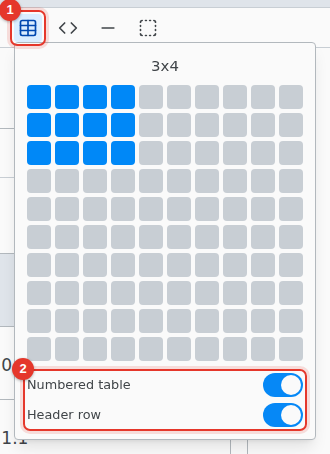
- Insert table. Move over the grid to pick a size, up to 10 by 10.
- Numbered table puts the table in a figure with a caption you can reference. Header row repeats the first row on each page. Decide before inserting.
Edit
Tab moves to the next cell. Right-click a cell to add or delete rows and columns. Select several cells and right-click › Merge Cells. Drag the border between two columns to change its width.
A range copied from a spreadsheet pastes as a table.
Table settings
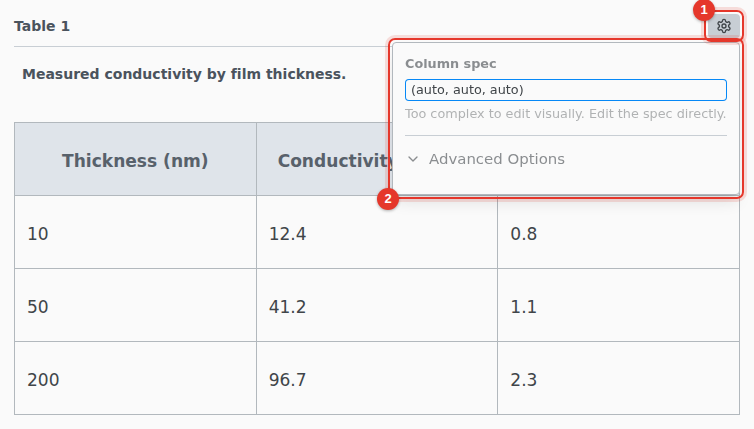
- Hover the table and click its settings icon.
- Edit the Column spec as Typst, such as
(auto, 1fr, auto). The label is under Advanced Options.