Typst
Write Typst in the visual editor or as source, and watch the preview update as you type.
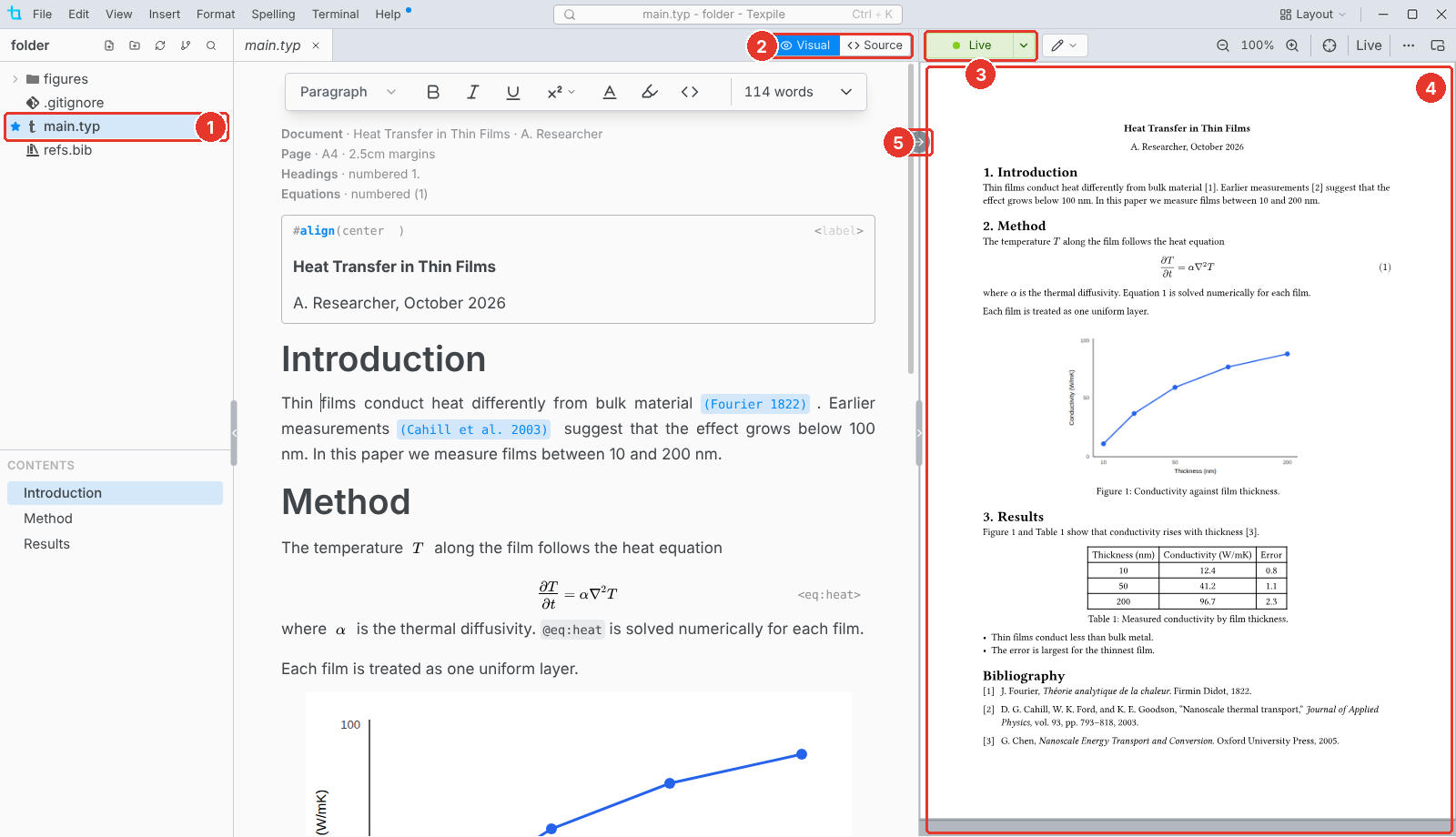
- Main file. The star marks the file Texpile previews and compiles.
- Visual / Source. Switch editors at any time. Both edit the same file.
- Live. The preview is on. Click it to close the preview.
- Preview. The document as it prints, updated as you type.
- Jump to preview. Shows the cursor's place in the preview. Click the preview to jump back.
The main file
The preview always shows the main file, whichever file you have open. In a folder with several .typ files, Texpile asks once which one it is. To change it, right-click a file and choose Set as Main File.