A tour of the window
A LaTeX project, with the PDF and the bottom panel open.
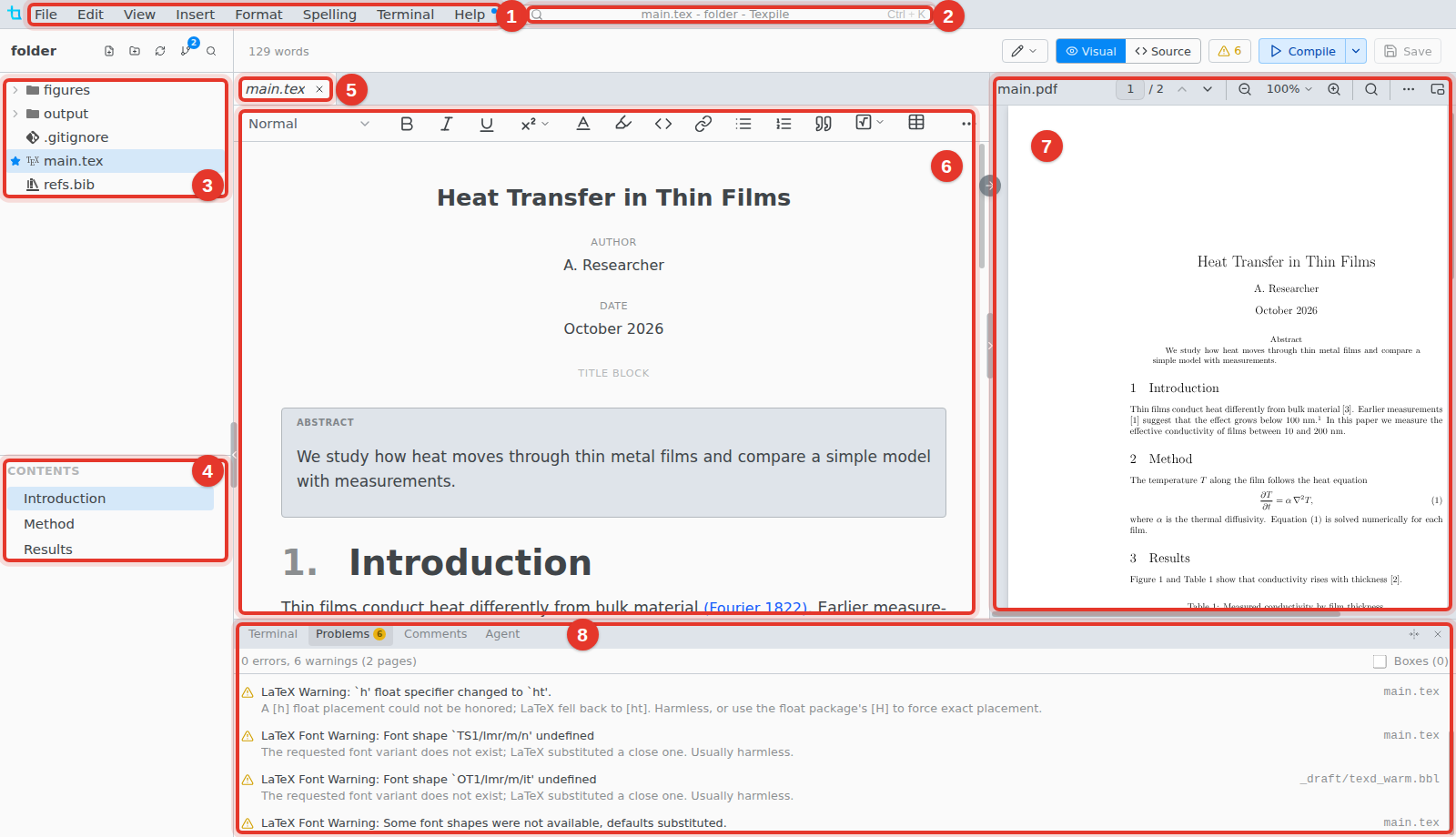
- Menus. On macOS they are in the system menu bar, with a Texpile menu added.
- Window title. Click it, or press Ctrl K, for the command palette.
- Files. The project folder. The star marks the main file.
- Contents. The headings of the open file. Click one to go there.
- Tabs. Ctrl Shift T reopens the last closed tab.
- Editor. The visual editor, or the source editor.
- PDF. The bar on the editor's right edge shows and hides it.
- Bottom panel. Terminal › Show Terminal opens it.
Top bar

- Word count. Select text to count the selection. Hover for the whole paper.
- Editing / Suggesting. In Suggesting, your edits become suggestions others can accept.
- Visual / Source. Switch editors.
- Problems. Errors and warnings from the last compile.
- Compile. The menu beside it has the compile settings.
- Save.
Sidebar
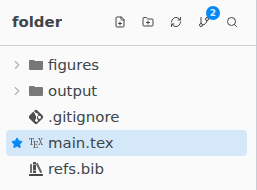
The number on the Source Control button is how many files changed. Esc returns from Source Control or Find in Files to the files.
Bottom panel
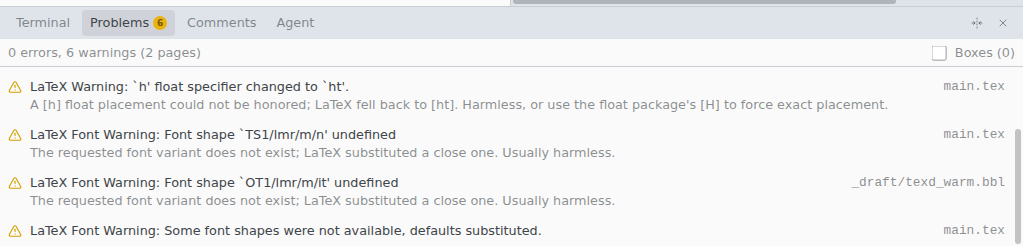
The Agent tab is a chat with an AI agent on your computer. It is hidden when every agent is turned off in Preferences › AI Assistant.
Menus
| Menu | What is in it |
|---|---|
| File | New, Open Folder, Clone Repository…, New Window, Save, Save as Template…, Version History…, Shared Session, Preferences… |
| Edit | Command Palette, Go to File, Undo, Redo, Find… |
| View | Zoom In, Zoom Out, Reset Zoom |
| Insert | Math, Image…, Table, Link…, References, Symbol…, and the rest for your file type |
| Format | Bold, Italic, Underline, Text Style, Headings, Block Quote, Format Document |
| Spelling | Check Spelling & Grammar, Edit Dictionary…, Spelling and Grammar Settings… |
| Terminal | Compile, Configure Compile Command…, New Terminal, Show Terminal |
| Help | Keyboard Shortcuts, Open Tutorial, What's New, Documentation, Check for Updates |