AI assistants (MCP)
AI assistants (MCP)
Texpile runs a local MCP server, so an AI assistant can see what you are working on and drive the editor. It is off until you turn it on.
- Setting
- Preferences › MCP server Preferences opens from the start screen, and from File › Preferences… once a folder is open.
Setting it up
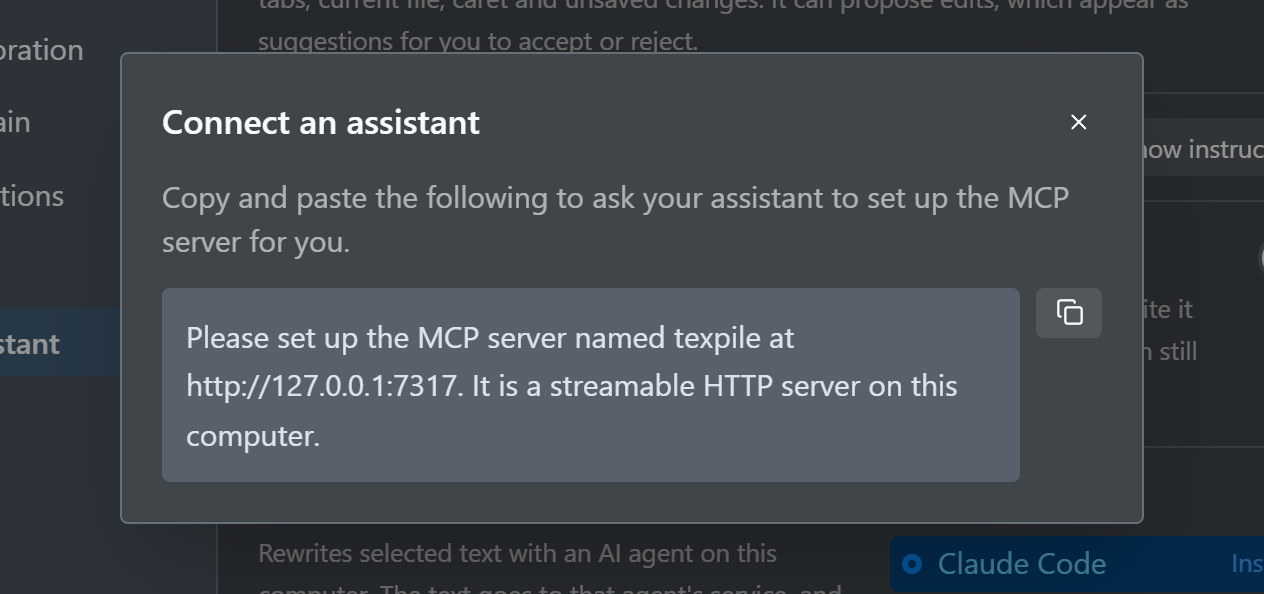
Show instructions in Preferences gives a message to paste into your assistant, with the real port filled in. The assistant then adds the server itself:
Please set up the MCP server named texpile at http://127.0.0.1:PORT. It is a streamable HTTP server on this computer.
To add it by hand, give your assistant a streamable HTTP MCP server at that address.
What an assistant can do
- Read the editor state: the open file, the current view, and the selection.
- Read content you have typed but not saved yet.
- Read the current compile errors and warnings.
- Open a file, show a diff, or switch between the visual, source, and diff views.
- Show a given source line in the PDF.
- Run a compile, and retarget where the PDF and build files land.
- Read the review comments, with the line each thread sits on now.
- Reply to a thread, resolve it, or re-attach it to new text after an edit.
- Leave review comments of its own. The author shown is the name the assistant gives, not yours.
- Suggest an edit to the open file. The change appears as a suggestion under the assistant's name, which you accept or reject like any other suggestion.
No tool sets the compile command. That command belongs to the project, in its .texpile/config.json, and Texpile runs it in a shell, so a command written there waits until you accept it, whoever wrote it. The only tool that changes a document is the one that suggests an edit, and its change stays a suggestion until you accept it. It refuses a change that cites a source your bibliography does not have or removes a label. The comment tools write only the comment log in the .texpile folder. The server is reachable only from your own computer, and only the host of a shared session has it. What your assistant does with what it reads is between you and your assistant.
Comments and assistants
Comments are pinned to the text they quote, so an assistant that rewrites a commented sentence with its own file tools would leave the thread without a place. With the comment tools it can read the threads on a file before editing, reply with what it changed and resolve the thread, or re-attach the thread to the new wording. A thread whose text is gone for good stays in the panel as detached, with the reply explaining why. A thread whose surrounding words changed is reported as weak, so the assistant checks it is on the sentence meant before acting on it.
Refine selected text
Refine rewrites the text you select with an AI agent installed on your computer, such as Claude Code, Codex, or Antigravity CLI, signed in with your own account. It does not need the MCP server. Choose the agent under Preferences > AI assistant > Refine with, then right-click a selection and pick Refine with and a task: match the writing style around it, rephrase, shorten, elaborate, make it more formal, fix the grammar, turn it into a list, or summarize it. The Refine button on the selection toolbar opens the same tasks, with a box for an instruction of your own.
The new text appears as a suggestion under the agent's name, with the task as its note, so nothing changes until you accept it. Texpile sends the selected text and the text around it to the service the agent uses. It keeps your text as it was when the answer cites a source your bibliography does not have, removes a label, or when you changed the passage while the agent was working.
For each of those agents, Model lists the models the agent offers for your account. Texpile gets the list from the agent itself. Default leaves the choice to the agent.
To use another program, choose Custom command and enter the program with its options, for example ollama run llama3.1. Texpile sends it the request as input and uses what it prints. Test sends a one-word request and shows the answer, or why the agent did not answer, so you can check it before you use Refine.