Refine selected text
Rewrite a selection with an AI agent. The result arrives as a suggestion under the agent's name, so nothing changes until you accept it.
Requires an AI agent installed outside Texpile
Select text, then right-click › Refine with {agent} and pick an action. With Toolbar on selection on in Preferences › Editor, the selection toolbar also has a Refine button.
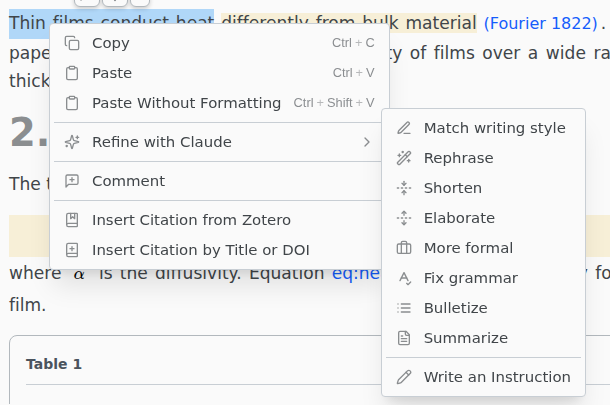
Match writing style rewrites the passage to match the text around it. Write an Instruction does what you type.
Works in LaTeX, Typst, Markdown, BibTeX and plain text. Not available to guests, while you host a shared session, when you open a single file without its folder, or in the web version. The agent also gets the text around the selection: see Privacy.
If you see "The text from {agent} was not used", the result broke a rule, and the note names it. In LaTeX, a result is not used if it cites a key your bibliography does not have or removes a \label.