Cite by title or DOI
Find a paper online and add it to your bibliography, with the citation in place. Works in LaTeX and Typst, with a main file set.
Requires an internet connection
Right-click in the editor › Insert Citation by Title or DOI, then type a title or paste an ID.
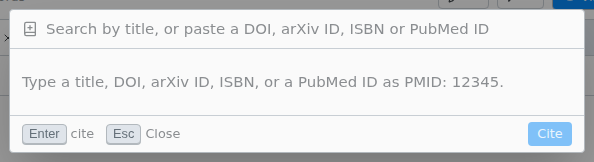
- IDs: a DOI, arXiv ID, ISBN or PubMed ID (
PMID: 12345), or a doi.org, publisher, arxiv.org or PubMed link. - A title gives up to eight papers. Add an author's surname or a year to narrow it.
- A paper already in your bibliography is cited by its existing key.
- The reference goes into the same
.bibfile as Zotero uses. - Only the host of a shared session can use it.
If you see "The registry for this DOI does not give out citation data.", cite the paper another way, such as from Zotero. "Could not reach {service}" means you are offline or a proxy blocks the request.