Git
Git
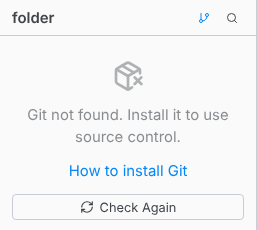
Version control in Texpile runs on the git installed on your computer. Editing works without it. The Source Control panel does not.
Windows
Install from winget, or download the installer from git-scm.com and run it. Both add git to your search path.
winget install --id Git.Git -e --source winget
macOS
Apple's command line tools include git. Run this in Terminal and accept the prompt, or install git with Homebrew.
xcode-select --install
brew install git
Linux
Your package manager has it.
sudo apt install git
On Fedora it is sudo dnf install git, and on Arch sudo pacman -S git.
Tell git who you are
A commit carries a name and an email address. Set them once:
git config --global user.name "Your Name"
git config --global user.email "[email protected]"
Check it worked
git --version
Texpile only looks for programs when it starts, so restart it after installing. Preferences › Toolchain lists git under Version control and says whether it was found.