Tables
Tables
Tables are edited as a grid, in every format.
- Toolbar
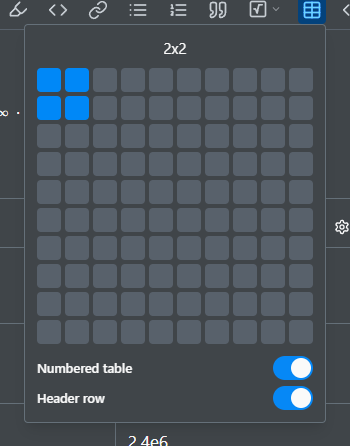
- The table icon in the toolbar A size grid, up to 10×10.
- Menu
- Insert › Table Drops a fixed 3×3 table to build up from, rather than another size picker.
Numbered vs. unnumbered
This is decided when you insert the table, with a Numbered table switch on the toolbar's grid picker, and there is no way to change it afterward. A numbered table gets a caption and an optional notes section beneath it, and is referenceable with @. An unnumbered one is only the grid.
Merging cells
Select two or more cells and right-click for Merge Cells (and Split Cell to undo it). This is how to build a spanning header or combine related data.
Table settings
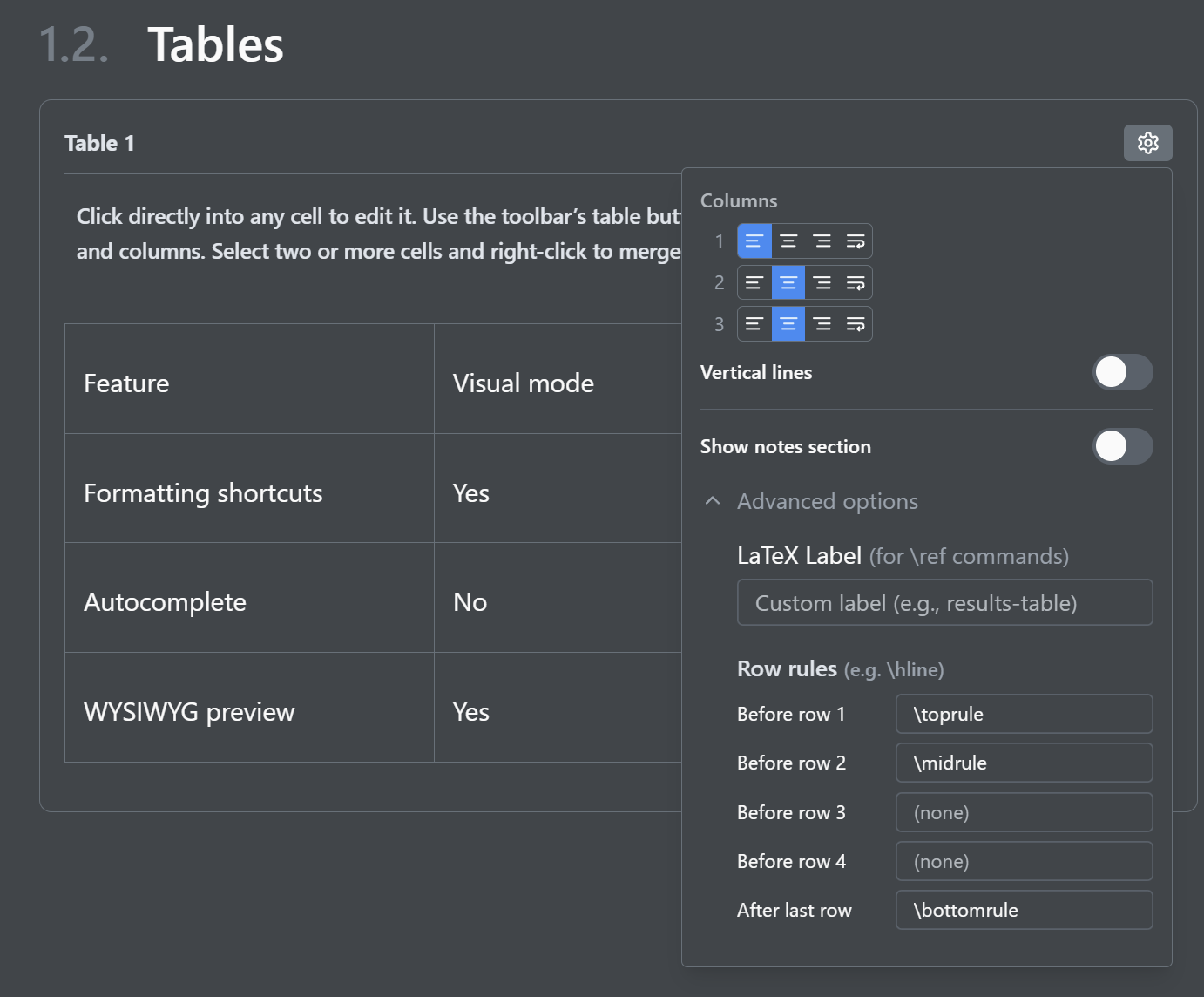
Hover the table for a Settings icon: per-column alignment and width, an optional vertical line between columns, the notes-section toggle, and under Advanced options, the LaTeX Label and the row rules (\toprule, \midrule, \bottomrule) before or after any row.
In Typst
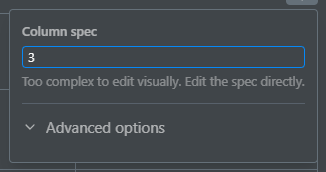
The grid picker has the same Numbered table switch and a Header row switch. Cells merge and split the same way, and column widths change by dragging the border between two columns. The settings panel shows the table's column spec as Typst text, with the Label under Advanced options. There is no notes section and no row rules.
In Markdown
A Markdown table always has a header row, and the grid is all there is: no merging, no numbering, and no settings, since the table syntax has none.