Citations
Citations
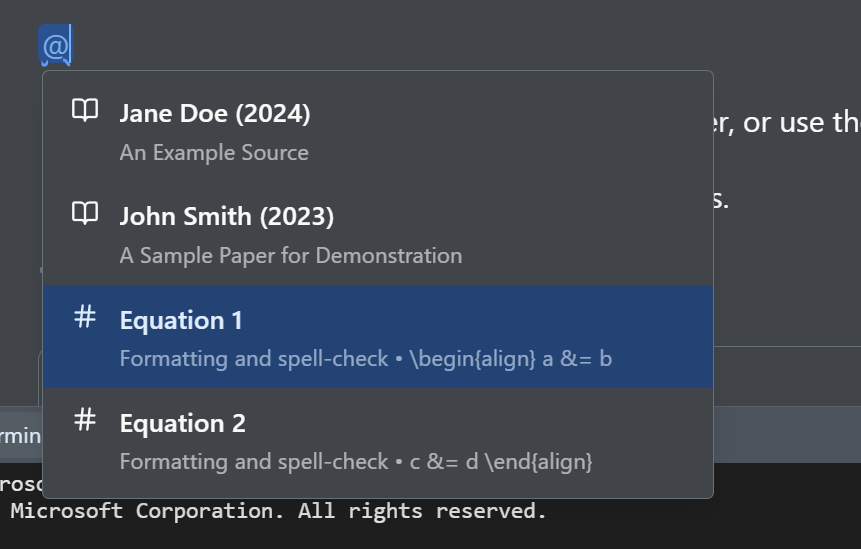
Citations and cross-references share one picker.
- In the editor
- Type @, then search Matches by citation key, author, title, or year.
- Menu
- Insert › Citation Inserts your first bibliography entry directly, useful as a placeholder to configure. It is not a picker.
One picker, two sources
The @ picker searches your bibliography and, in the same list, your document's own numbered figures, tables, and equations, so \cite and \ref both start the same way.
Editing a citation
Click an inserted citation to open its editor: a Page numbers field for a pinpoint reference, and under Advanced options, Add prefix (with see / cf. / compare as one-click fills) and a Citation style picker with Automatic, Parenthetical, In-text, or Basic.
Managing your bibliography
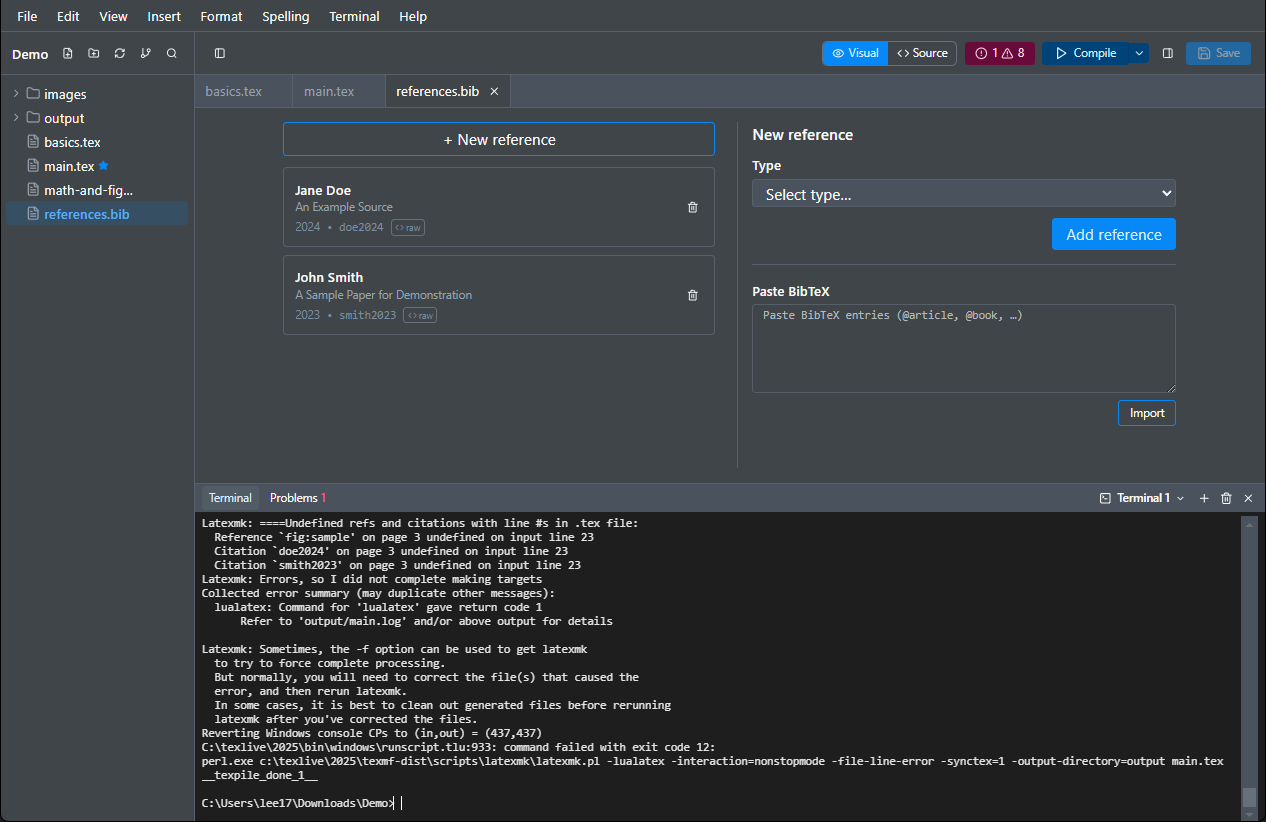
The @ picker reads whichever .bib files are in your project. Open the .bib file itself to edit it as a form rather than as source: add references, fill the required fields for each entry type, and paste raw BibTeX to import. Entries the parser cannot model stay editable as raw text.
In Typst
The @ picker works the same way. A citation key shows as the author and year, and any other reference shows its label, since the number comes from the compiler. A #bibliography call shows as a card, and a .bib file it points at opens in the same form. The citation editor, with its page numbers, prefix, and style, is for LaTeX only.
In Markdown
Markdown has no bibliography, so the picker is not offered.