Preferences
Preferences holds the settings for the whole app. Open it with Ctrl , (Cmd , on macOS) or File › Preferences… (Texpile › Preferences… on macOS).
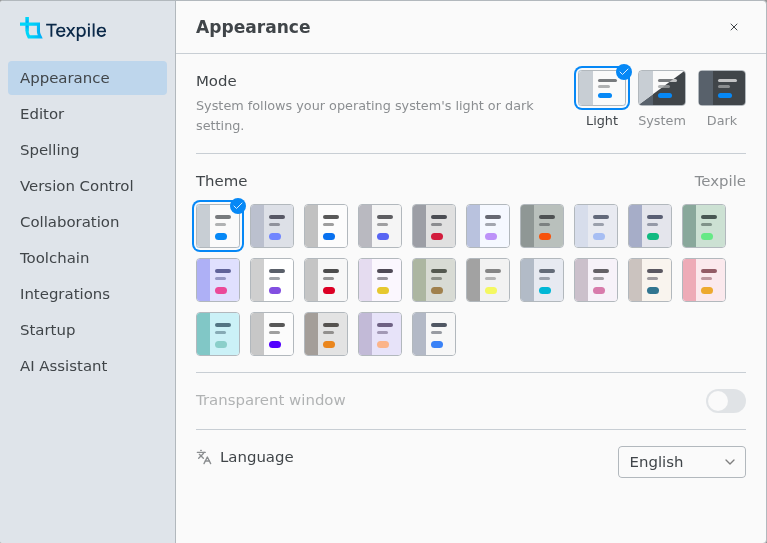
| Setting | Note |
|---|---|
| Appearance › Language | Changes the interface only. Spell check follows each document's own language. |
| Editor › Keybindings | Vim and Emacs work in the source editor only. |
| Keyboard Shortcuts | Changes the keys of any command. See Keyboard shortcuts. |
| Editor › Justify text, Hyphenate words | Apply to the visual editor only. The file and the compiled document stay as they are. |
| Editor › Auto-fraction, Tab out of brackets, Matrix keys | Source editor math only. See Math typing helpers. |
| Editor › Fold when a file opens | Source editor only. Each stop to the right folds more: figures and tables, then equations, then all environments, then everything. A file you folded or unfolded yourself opens as you left it. |
| Spelling › Check spelling and grammar | Off by default. |
| Spelling › This folder › Language | The same choice as Edit › Spelling › Folder Language. Needs an open folder. |
| Spelling › Default language | For documents that name no language, in folders set to Automatic. English by default. |
| Spelling › Custom Dictionary | One list per language. Separate several words with spaces, commas, or semicolons. |
| Spelling › Grammar rules | All off by default. Shown while English is the default language or the open folder is checked in English. |
| Version Control › Git Program | The git Texpile runs. When git is missing, Locate adds its folder to Programs & Compiler › Other folders. |
| Version Control › Autofetch | Fetches from the default remote every 3 minutes. |
| Version Control › Git Identity | Read-only. Change it with git config in a terminal. |
| Version Control › Keep version history | Keeps a copy of each save for 30 days. |
| Collaboration › Display name | Shown in shared sessions and on your comments. Left empty, you show as Host or Guest. |
| Programs & Compiler › Other folders | Texpile looks here first for every program it runs, including your compile command. See Programs & Compiler. |
| Programs & Compiler › LaTeX and Typst | Which TeX distribution and which tinymist Texpile uses. Each picker also installs Texpile's own. |
| Integrations › Find and cite papers online | Looks papers up through Crossref, DataCite, doi.org, Open Library, and PubMed. |
| AI Assistant › Disable all AI integrations in Texpile | Turns off Refine, the Agent tab and the MCP server. Your choices below it stay as they were. |
| AI Assistant › MCP server | Lets an AI assistant such as Claude Code see your open files. See MCP server. |
| AI Assistant › Refine with | Only agents Texpile finds can be picked. To add another, add its folder under Programs & Compiler › Other folders. |
| AI Assistant › Agent tab | Untick every agent to remove the tab. |
Not in Preferences
- The compile command, output paths, and live mode are saved per folder: Configure Compile Command… in the menu next to Compile.
- Interface zoom: Layout › Zoom.
- Which panels show, and how the editor and the PDF are split: Layout in the title bar.
- Dark PDF pages: Invert colors in the PDF bar's "…" menu, remembered separately for light and dark mode.