TikZ editor
A tikzpicture opens in the TikZ editor. Draw on a canvas and Texpile writes the TikZ into your .tex file.
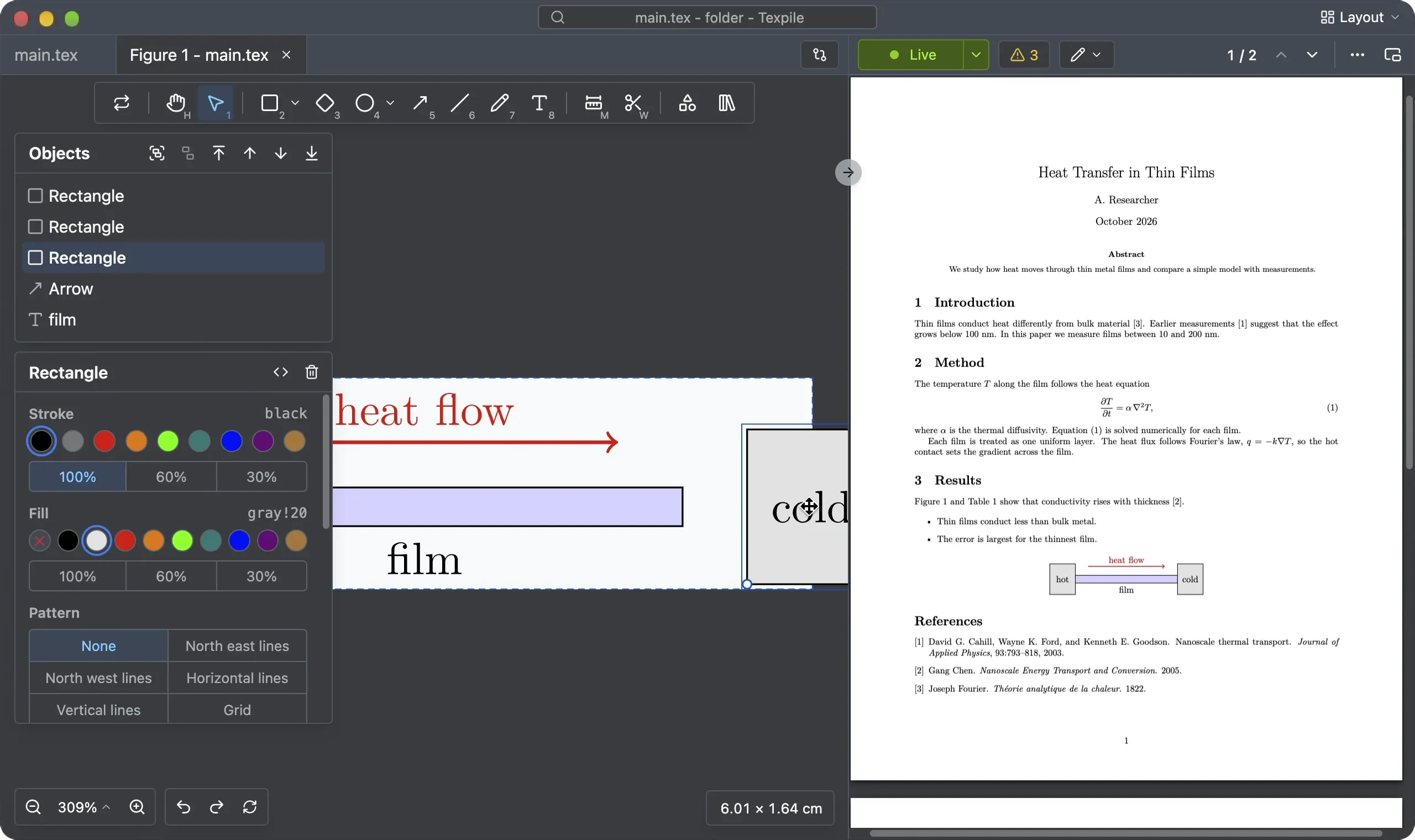
Tip: to see the TikZ code, use the split editor, with the figure editor in one pane and the source editor in the other. Click the Layout button at the top right corner.
Shortcuts
Draw with the tools. Each has a key:
| Tool | Key | Tool | Key |
|---|---|---|---|
| Hand | H | Line | L |
| Select | V | Pen | P |
| Rectangle | R | Text | T |
| Diamond | D | Dimension | M |
| Ellipse | O | Trim | W |
| Arrow | A |
Undo and redo
If your figure is not a standalone .tikz file, it shares the same undo-redo history as the original .tex file.
LuaLaTeX
The figure editor uses LuaTeX and the same technology as Texpile's Live mode.
If LuaLaTeX is missing, see Install a TeX distribution.