Comments
Comments work as in Google Docs: select text, then right-click › Comment. They also work in the source editor.
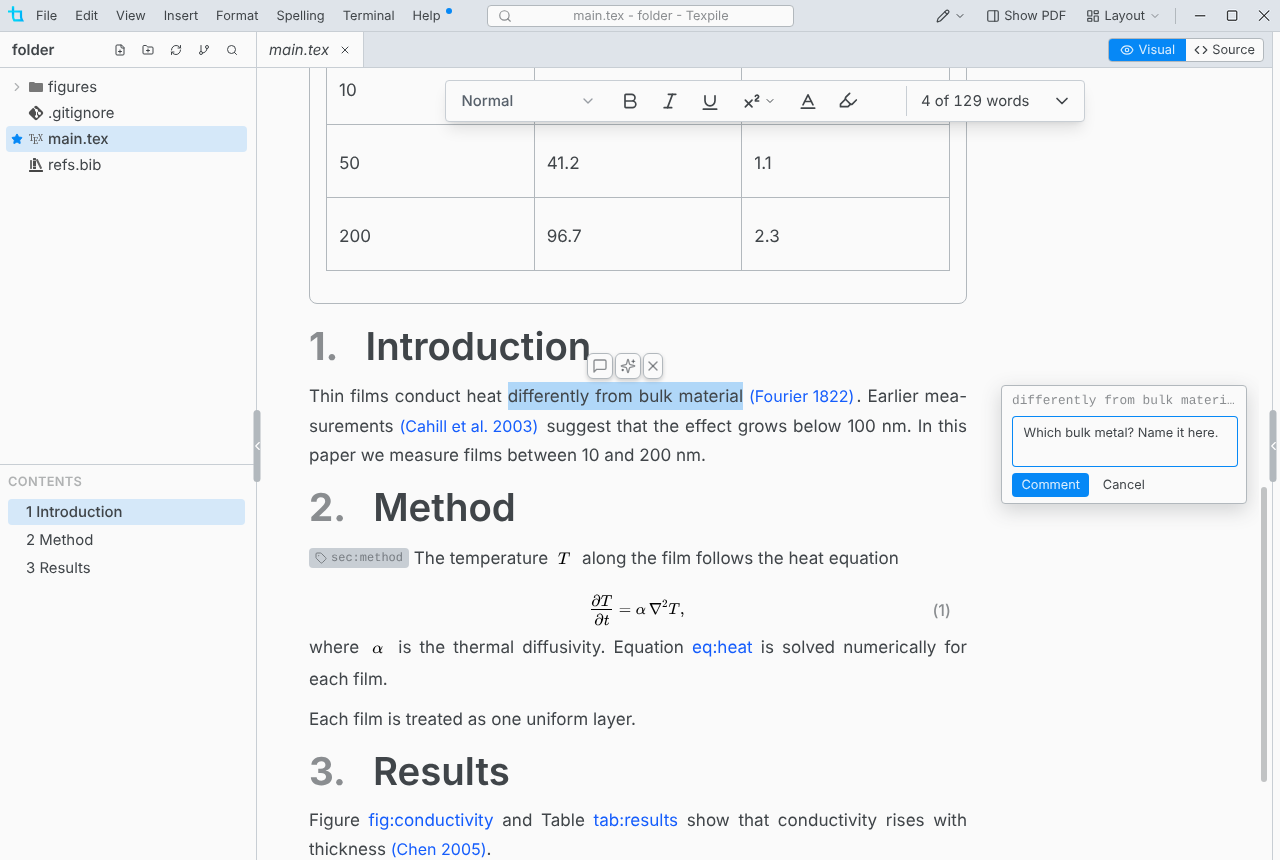
Every comment in the project is listed in the Comments tab of the bottom panel. Tick Show resolved to list resolved threads too.
How comments differ
- Anyone can edit or delete any message, including other people's.
- Deleting the commented text deletes its comment. Undo brings both back.
- In the source editor the commented text is highlighted and its line number is marked. Click the mark to open the comment.
- Comments are kept in the hidden
.texpilefolder of the project, separate from your file and the PDF. Commit.texpileso others get them. - Comments need the whole folder open. They are off for a single file opened on its own.
When a comment loses its place
Texpile follows edits made in Texpile only. A comment whose words go missing gets a badge in the Comments tab.
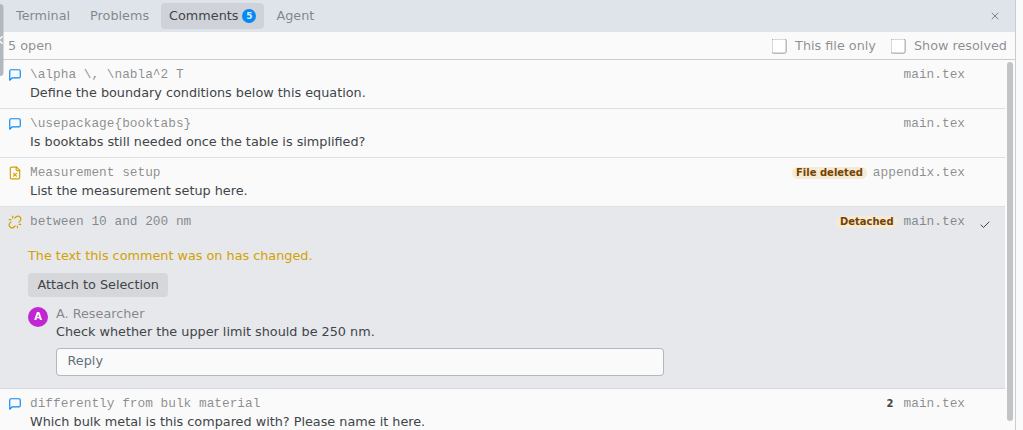
| You see | Fix |
|---|---|
| Detached | The words changed, often in another program. Select the right text, open the thread and click Attach to Selection. |
| File deleted | Restore the file. Renaming or moving a file in Texpile keeps its comments. |
| Not in this view | The comment is fine. Its text is outside the visual editor, such as in the preamble. Switch to Source. |
| Check placement | The sentence appears more than once. Check which copy the comment is on. |