Live preview
The PDF updates as you type. Most edits show in a fraction of a second.
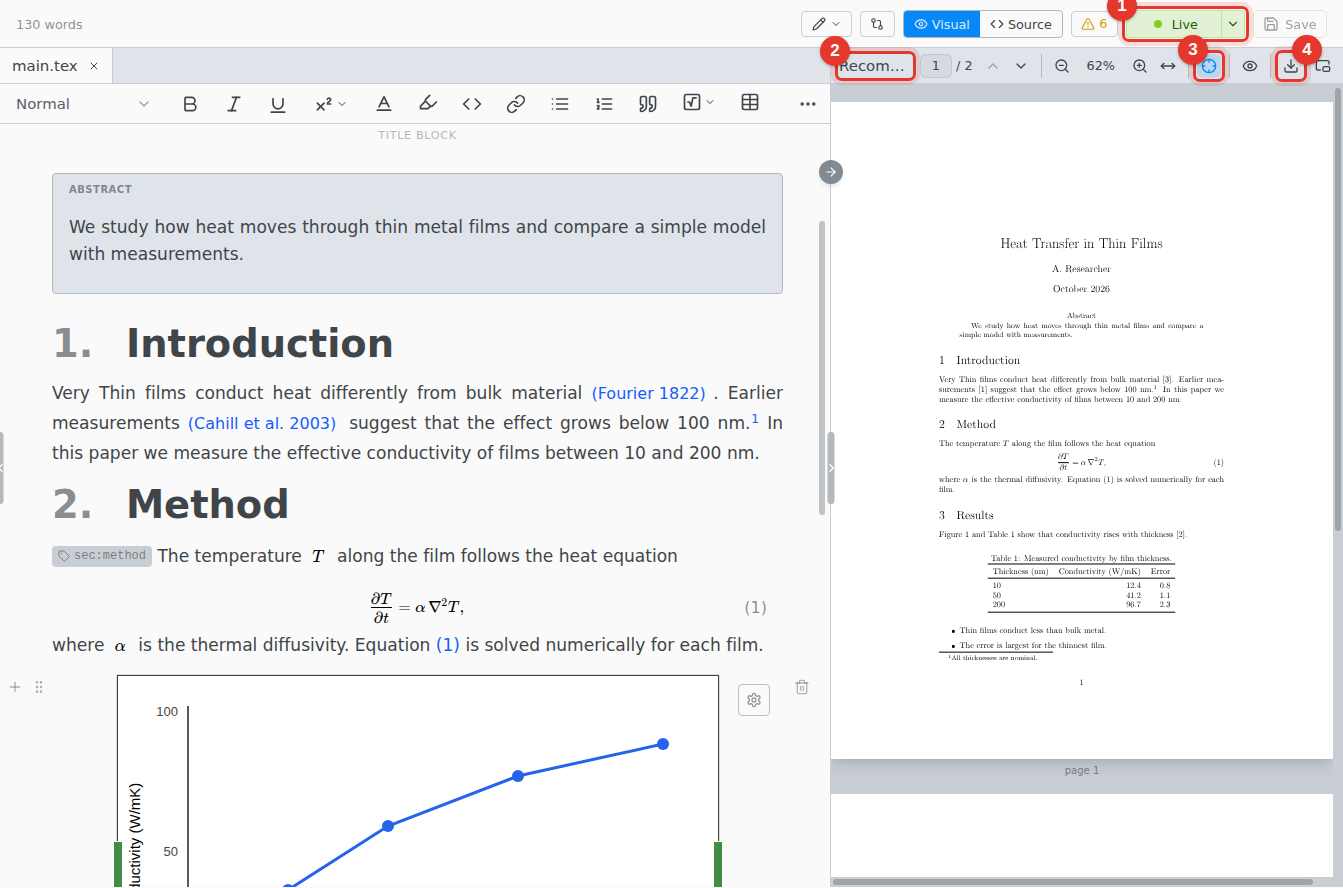
- Live. Click to pause. Paused resumes.
- Status. What the preview did last, such as an instant update to one page or a full recompile.
- Follow edits. Scrolls the PDF to where you type.
- Save PDF. Compiles the whole document and saves the PDF.
Pinch on a trackpad, or scroll with Ctrl held, to zoom around the pointer.
Turn it on
Open the menu next to Compile and choose Configure Compile Command….
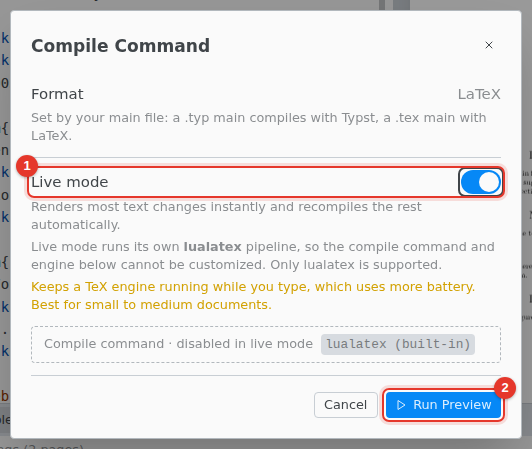
- Turn on Live mode.
- Click Run Preview.
Live mode is saved for the folder. Close the PDF pane to stop the preview.
Limits
- lualatex only. A document that needs pdflatex or xelatex fails here. Use Compile.
- No shell escape. Packages such as
mintedbuild with Compile only. - Not while you host a shared session. Guests see the compiled PDF.
- One window at a time. Use Live Preview Here moves it to the window you are in.
- Battery. The engine runs while you type. It stops after 10 minutes idle.