Zotero
Insert citations from your Zotero library into a LaTeX or Typst document.
Requires Zotero with Better BibTeX
Cite
Keep Zotero running and set a main file. Each reference needs a citation key.
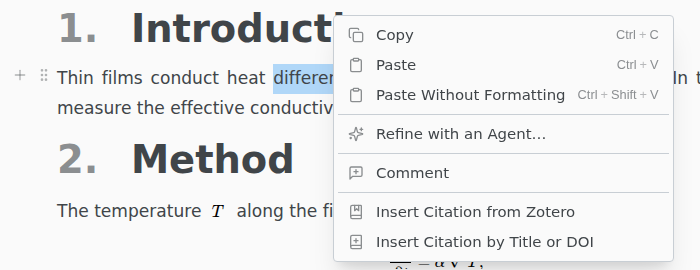
Right-click in the editor › Insert Citation from Zotero, tick one or more references, and click Insert. Texpile inserts \cite{key1,key2} or @key1 @key2 and copies the references into your bibliography.
Texpile searches the Zotero library on your computer. A group library shows once it has synced.
Which .bib file
New references go into the .bib file your main file names. Otherwise, Texpile uses references.bib or the first .bib file in the project, or creates references.bib next to the main file. Then add the bibliography command to your main file yourself.
A reference already in the bibliography keeps its entry, even if it changed in Zotero. To update it, delete the entry from the .bib file and insert it again.