
Understanding Templates
Texpile is a content-first editor, meaning it separates what you write from how it looks. You focus on the content, and Templates handle the formatting.
For example, an APA template automatically sets the margins, font sizes, and citation style required by APA guidelines. Templates can even transform your document into presentation slides.
Template Fields
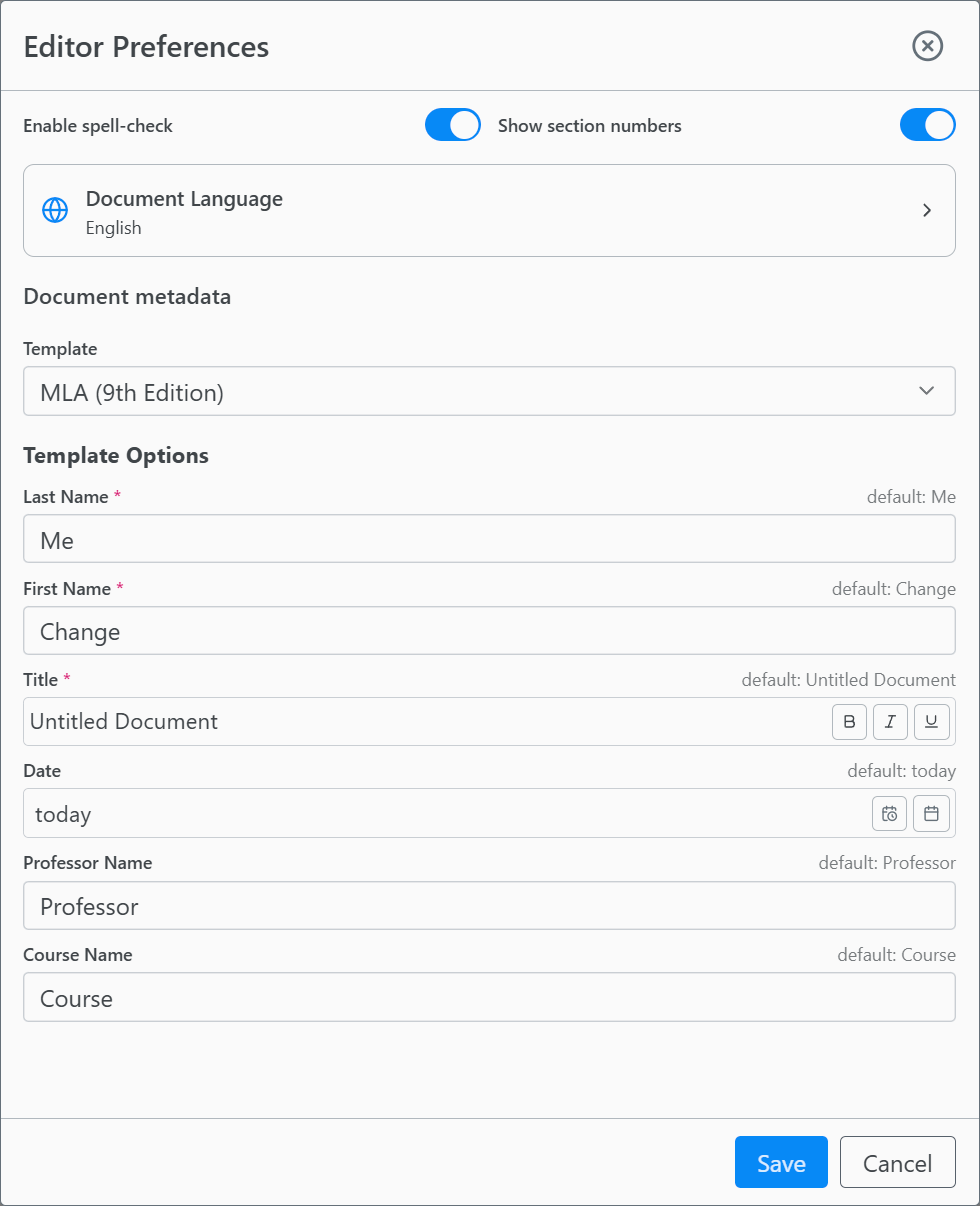
Some templates require specific information, such as your name, course title, or date. We call these Template Fields.
For instance, an MLA template will ask for:
- Your Name
- Instructor’s Name
- Course Number
- Date
Changing Settings
To update these fields or switch to a different template:
- Click Settings in the right sidebar (or go to File > Document Settings).
- You will see options to:
- Change the Template (e.g., switch from Article to Beamer Slides).
- Update Template Fields (Metadata).
- Set the Language.
Note: Switching templates may change the available fields. Data entered into fields that do not exist in the new template might be lost.