
Smart Selection
Texpile offers advanced selection tools that go beyond simple text highlighting, allowing you to manipulate entire document elements with ease.
Basics
You can select text normally by clicking and dragging. However, to select entire elements (like a paragraph, equation, or image blocks) for moving or formatting, use Smart Selection.
Selecting Elements
To select an entire block element:
- Hold Ctrl (or Cmd on Mac).
- Left-click on the element you want to select.
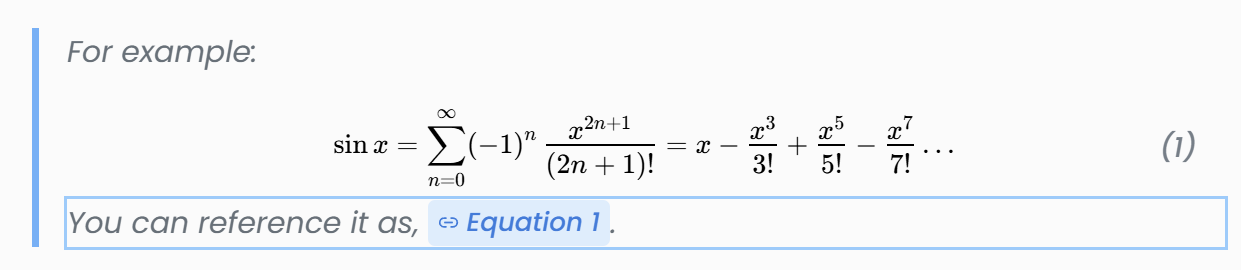
This highlights the entire block, allowing you to drag it to a new location or apply block-level formatting.
Selecting Containers
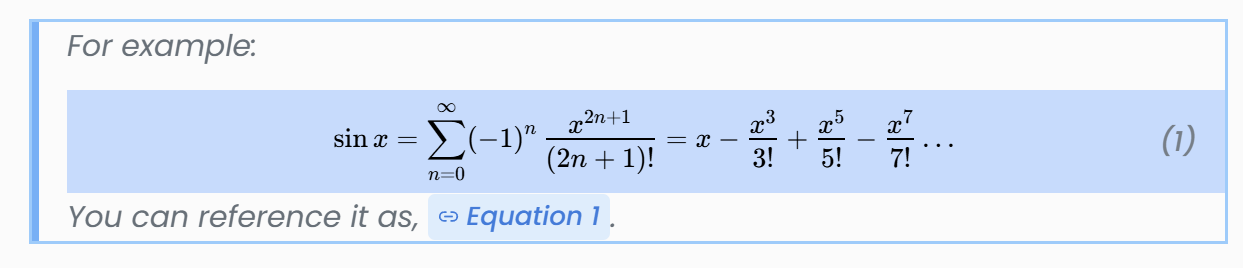
Some elements are nested inside containers (like a list item inside a list, or a cell inside a table).
To select the parent container or the border:
- Ctrl + Click once to select the inner element.
- Ctrl + Click again on the same spot to select privacy/border element.
Toolbar Selection
Alternatively, you can use the Select button in the toolbar (dotted square icon on the far right) to perform a smart selection on the current element.

Clicking this button produces the same result as Ctrl + Click: it selects the entire block where your cursor is currently located.