
Managing Citations
Citations are the backbone of academic writing. Texpile streamlines the process of finding, adding, and formatting your references.
Adding a Citation
To add a citation while writing:
- Place your cursor where you want the citation.
- Type
@to open the citation picker. - Start typing the title, author, or year of the paper you want to cite.
- Use the arrow keys and
Enterto select and insert the citation.

The citation picker allows you to select from:
- Bibliography: Your external references (books, papers).
- Internal References: Figures, Tables, and Equations within your document.
Managing Bibliography
To manage your list of references, open the Citations panel by clicking the Citations button in the bottom sidebar, or go to Insert > Citations > Add References….
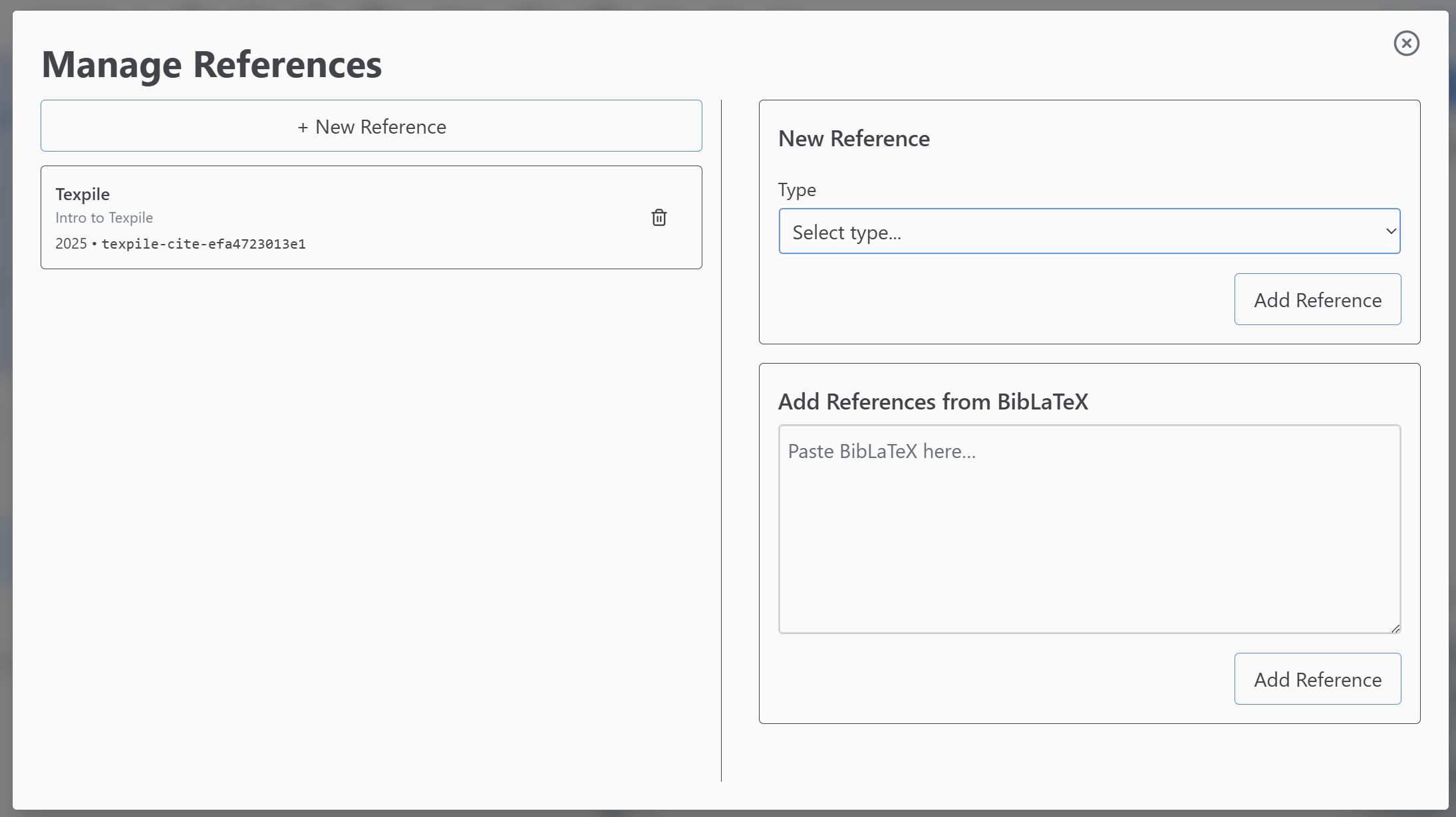
You can build your bibliography by:
- Uploading a BibTeX file: Directly attach a
.bibfile to your project. - Manual Entry: Add references manually using the form.
Note: Texpile supports standard BibTeX entries. Some specialized BibLaTeX fields might not be fully supported in the visual editor but will work in compilation.
Editing Citations
After inserting a citation (e.g., [1]), you can click on it to open a context menu.
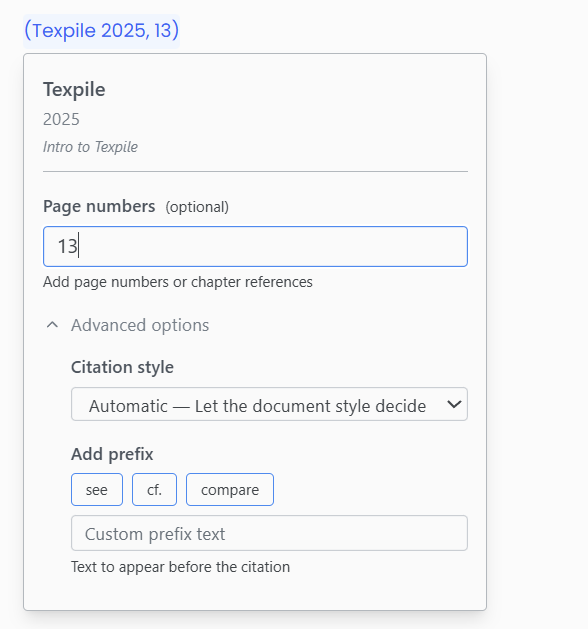
This menu allows you to:
- Add a Prefix (e.g., “see “)
- Add a Suffix (e.g., “p. 42”)
- Suppress the author (for author-year styles)
Citation Styles
Texpile supports widely used citation styles via CSL or BibLaTeX. A list of references (“Works Cited” or “Bibliography”) will be automatically appended to the end of your document if you have cited sources.
Note: The specific formatting of your citations (e.g., [1] vs. (Smith, 2023)) is controlled by your project’s Template.