
Quick Start: Your First Document
In this 5-minute guide, you’ll create a simple academic paper with a title, a section, and a math equation.
Texpile is a content-first document editor. This means you do not define a format manually; you only write the content. Formatting is controlled entirely by templates.
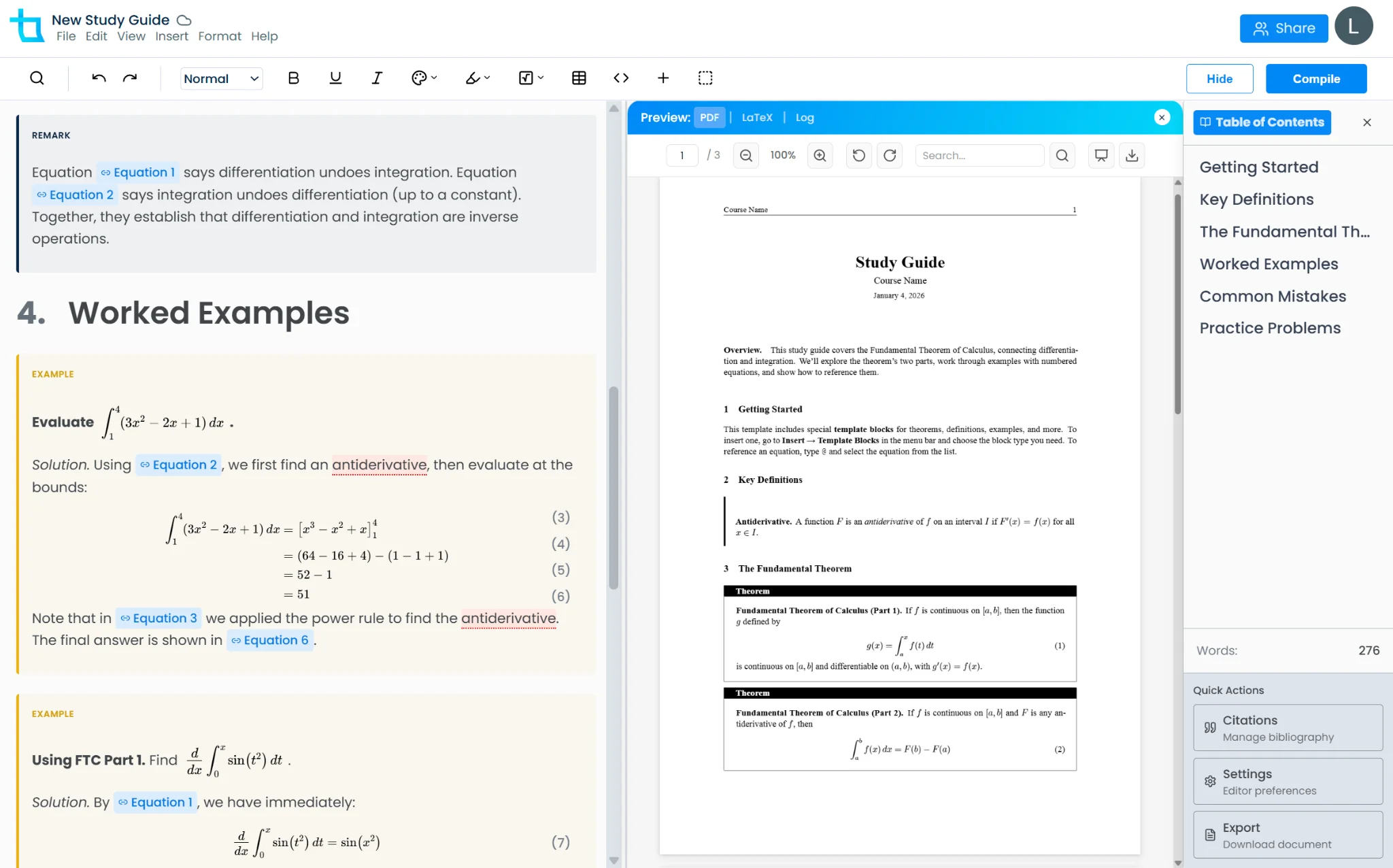
In the Texpile editor, you will see a split view: the left side is the editor (without formatting), and the right side is the PDF (formatted according to your current template). To generate the PDF, click Compile in the top right corner. Note that your changes will not be reflected in the PDF until you click Compile.
Try the DemoNext Steps
- Learn about Templates to automatically format this document as an MLA, APA, or other paper type.
- Add Images to visualize your data.
- Manage Citations for your bibliography.