LaTeX
Write LaTeX in the visual editor or as source, and compile it to a PDF.
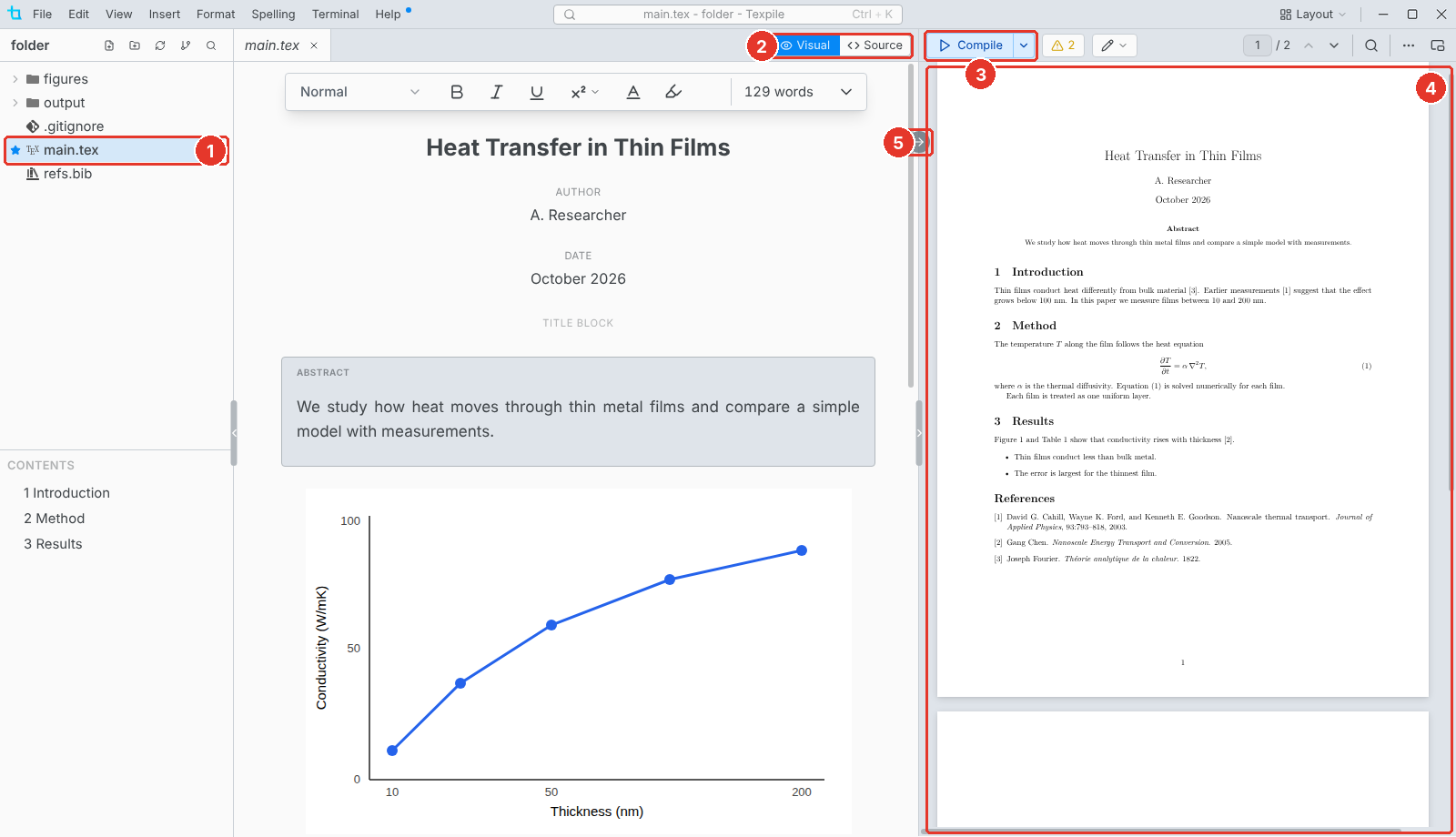
- Main file. The star marks the file Texpile compiles.
- Visual / Source. Switch editors at any time. Both edit the same file.
- Compile. Builds the PDF.
- PDF. The compiled PDF. The bar on the right edge of the editor shows and hides it.
- Jump to PDF. Shows the cursor's place in the PDF. Double-click the PDF to jump back.
The main file
The main file is the one with \documentclass and \begin{document}. In a folder with several .tex files, Texpile asks once which one it is. To change it, right-click a file and choose Set as Main File.
Folders Texpile adds
The PDF and the build files go in an output folder. Your comments and compile settings are in .texpile: keep it with the project.